Bookings
To make a booking for an event is super simple. It's just a matter of two clicks. We've made a secure & simple checkout system. Hmmm.. ☝️ ✌️
Admin, Organizer & Customer, all can book an event from the front-end in similar ways.
-
Admin - Make a booking for a customer.
-
Organizer - Make booking only of their own events for a customer.
-
Customer - Make a booking for their own.
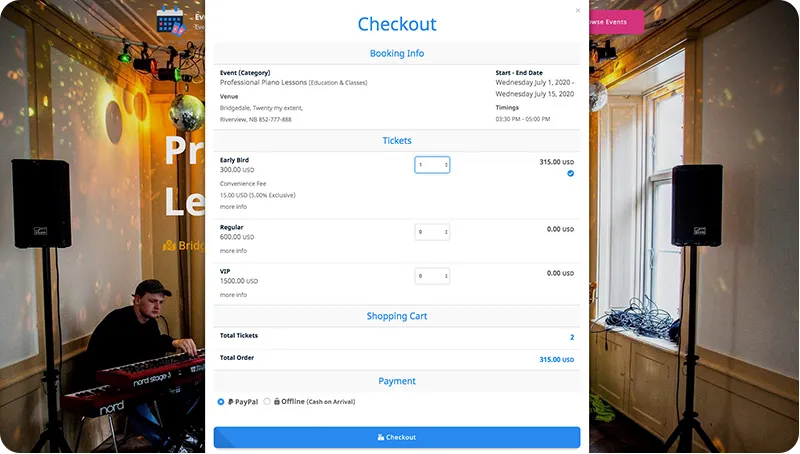
Make Booking
For Admin & Organizer
-
On the Event page, scroll down to
Get your tickets nowsection. -
Click on
Get Tickets
In case of repetitive event, click on anEvent Schedule. -
Select Customer&Ticket Quantity. You can also select multiple tickets at once. -
Select a
Payment Optionand clickCheckout
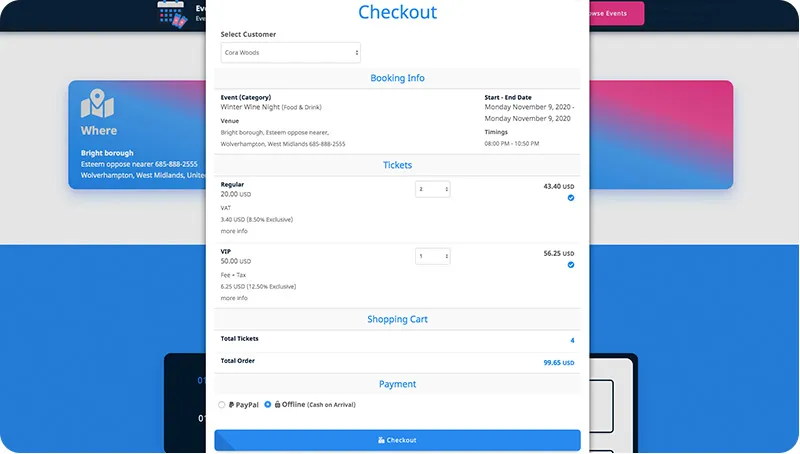
For Customer
- On the Event page, scroll down to
Get your tickets nowsection. - Click on
Get Tickets In case of repetitive event, then click on anyEvent Schedule. - Select
Ticket Quantity. - Select a
Payment Optionand clickCheckout
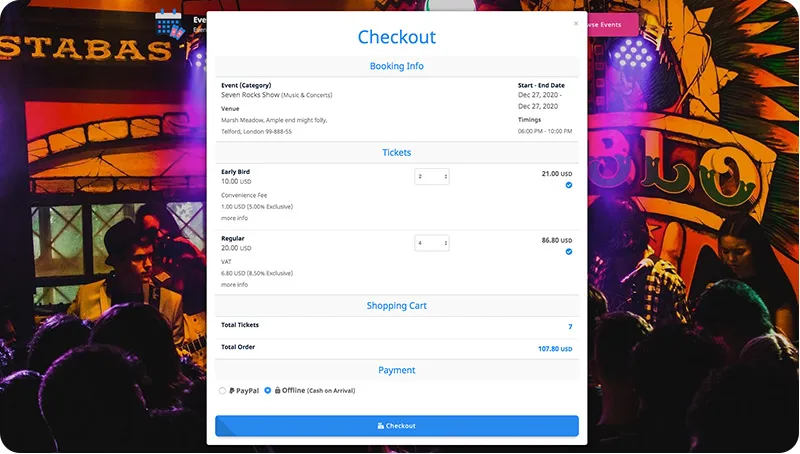
{info} Free Tickets can be booked directly without going through Payment Gateway.
{primary} We'll add
Pay at venueoption for cashless checkout in the next version.
Booking Cancellation
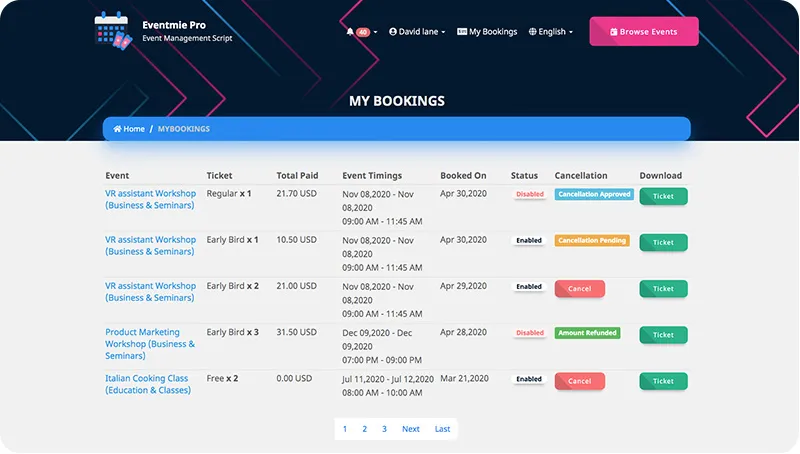
The customer can request for booking cancellation, and then the organizer or admin can proceed further with that cancellation request.
-
Admin - Can manage and update cancellation request status from the
Admin panel -> Bookingspage. -
Organizer - Can manage and update cancellation request status from the
Front-end -> Manage Bookingspage. -
Customer - Can request for booking cancellation
Front-end -> My Bookingspage.
For Customer
- On the header, click on
My Bookings. - Click on
Cancel - Once after requesting booking cancellation, booking status will keep updating (
Pending|Approved|Refunded) and customers can track the booking status here on the same page. - The
statusshows a particular booking isEnabled - ValidorDisabled - In-valid.
For Organizer
- On the header, hover over the account name and click on
Manage Bookings. - Click on
Edit - In the popup, the organizer can update the Cancellation status to
No Cancellation|Pending|Approved|Refunded. - After refunding the booking amount, booking can permanently be disabled by changing the
StatustoDisable.
For Admin
- Go to admin panel, and click on
Manage Bookings -> Bookings. - Click on
Edit - Admin can update the Cancellation status to
No Cancellation|Pending|Approved|Refunded. - After refunding the booking amount, booking can permanently disabled by changing the
StatustoDisable.
Cancellation Status Explained
The cancellation status are only for tracking purpose. They have no major functionality. The main thing is Booking Status. Change Status - Enabled - Valid Booking or Disabled - In-valid Booking.
- No Cancellation - the booking status is normal and the customer ticket is valid.
- Pending - the customer has applied for the cancellation, but still, the customer ticket is valid.
- Approved - the cancellation request is approved and refund under process and the customer ticket has become invalid.
- Refunded - the cancellation request is approved and the ticket amount is refunded to the customer and the ticket has become invalid.
{info} On updating
Cancellation StatustoApprovedorRefunded, you must change the Booking Status toDisabled.
Booking Process (behind the scenes) (v1.3)
v1.3 introduced a new faster & smoother checkout process. The new checkout process is separated into a few micro-services. Before, on clicking the Checkout button, these are all the tasks happening concurrently behind the scenes-
- Payment Processing
- Ticket PDF generation
- Ticket email sending
These were the tasks that increase the checkout processing time. So we redesigned the whole process. And separated all these tasks into the pre & post-booking process.
New Booking Process
On clicking the Checkout button
- Initiate a loader popup to show checkout progress (start pre-booking process).
- Validate the booking
- Process payment
- On successful payment, finish the booking process. (finish pre-booking process).
- On the bookings page, initiate a loader popup (start post-booking process)
- Start generating Ticket PDF
- Send Ticket emails
- Finally, show finish booking notification and close the loader popup. (finish post-booking process).
New Checkout Process Benefits
- Independent pre-booking & post-booking process.
- Faster checkout, lesser waiting time.
- More reliable, e.g if email sending fails, it won't affect other belonging tasks.
- More clarity for each task, a user can track each process and can contact support about the exact issue.