{success} This Feature only available in Eventmie Pro FullyLoaded
Clone Event: Duplicate Events Instantly in Eventmie Pro FullyLoaded
Easily duplicate existing events to speed up new event creation in your Eventmie Pro FullyLoaded Laravel event management platform. Use the clone event feature to copy all event details—saving time and effort compared to creating events from scratch.
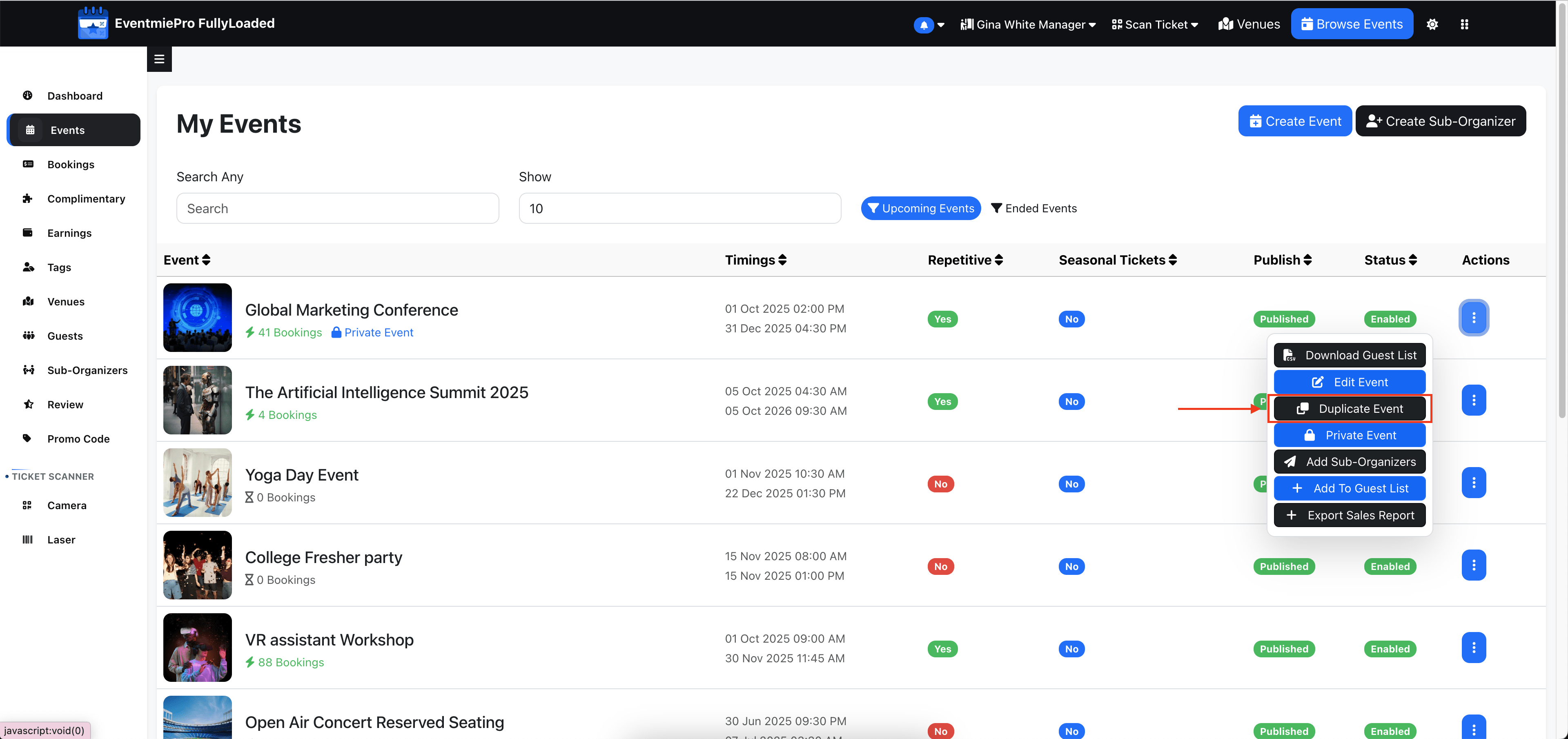
How to Clone an Event (Admin & Organizer)
- If you're logged in as Admin, go to Admin Panel -> Events and click More.
- If you're logged in as Organizer, go to Manage Events.
- On the Manage Events page, find the Clone Event option and click it to instantly duplicate the event.
The cloned event will include all event details except bookings. It will be created as unpublished, allowing you to review and make changes before publishing.