Update Eventmie Pro & FullyLoaded: v2.0.x → v3.0.x
Upgrade your Eventmie Pro or FullyLoaded platform with confidence. This guide provides a step-by-step, industry-standard process to ensure a seamless, secure, and future-proof update—whether you're a developer, agency, or business owner.
{success} Updating will NEVER MODIFY OR DELETE your website's existing user data, file uploads, or database tables.
🚀 Unlock the Complete Power of Eventmie Pro by upgrading to FullyLoaded Web + App Bundle – and Save Big!
Already using Eventmie Pro? Unlock advanced features, premium support, and enterprise scalability by upgrading to FullyLoaded. Save big on your Eventmie Pro website by upgrading to FullyLoaded.
How to Upgrade:
- Contact our team at [email protected] or via your Classiebit account.
- Pay only the difference (e.g., if you paid $69 for Pro, upgrade to FullyLoaded for just $430 more).
- Receive your FullyLoaded license and upgrade instructions.
- Follow the FullyLoaded Upgrade Guide for any additional steps.
{primary} Seamless Upgrades: Your data, settings, and customizations remain intact. Our team can assist with the upgrade process.
- Server Requirements
- Prerequisites & Backup
- Professional Update Services
- Step-by-Step Update Process
- Post-Update: Configuration & Language Files
- Troubleshooting & Checklist
- Need Help?
Server Requirements
Before you begin, make sure your hosting/server meets these minimum requirements. Eventmie Pro & FullyLoaded is built on Laravel 11. (Laravel 12 support is coming soon)
- PHP >= 8.2
- MySQL >= 8.0 or MariaDB >= 10.3
{primary} Tip: You can get started in minutes with Hostinger.com web hosting. Use our referral link to get 50% off + extra 20% off. 👉 Click here to get started
Hostinger has all the features you need to get started with Eventmie Pro.
Prerequisites & Backup
To upgrade to Eventmie Pro or FullyLoaded v3.0.x, please follow these prerequisites and backup your website:
{warning} Never skip backups! This is your safety net in case of unexpected issues.
-
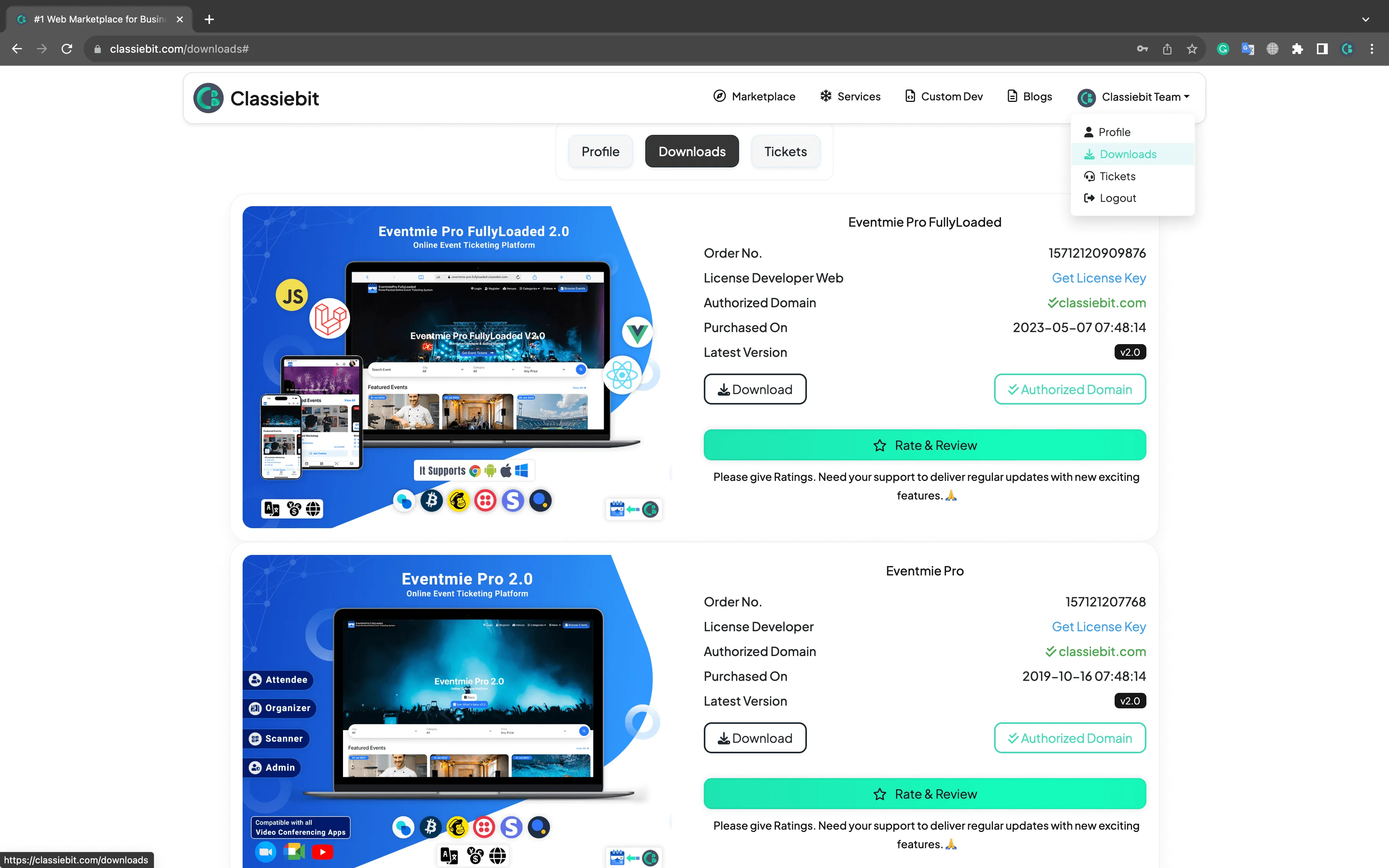
Download the Latest Version:
- Get the latest Eventmie Pro or FullyLoaded from your Classiebit.com Downloads account.
-
Backup Your Website:
- Backup all website files and your database.
- Test your backup by restoring it on a staging server if possible.
-
Check Customizations:
- Note any code customizations or third-party integrations.
Professional Update Services
Prefer expert assistance? Classiebit offers paid update services for all scenarios:
Eventmie Pro
- Simple Update (No Code Customizations): $100
- Advanced Update (With Code Customizations): $250
FullyLoaded Web
- Simple Update: $200
- Advanced Update: $350
FullyLoaded Web + App
- Simple Update: $500
- Advanced Update: $850
👉 To request a professional update, email [email protected]. Our team ensures a zero-downtime, stress-free upgrade.
Step-by-Step Update Process
Follow these steps for a successful upgrade:
- Extract the Update Package
- Unzip the downloaded package (
eventmie-pro-webinstaller-v3.0.ziporeventmie-pro-fullyloaded-3.0.zip). - Overwrite your existing website directory with the new files.
- Unzip the downloaded package (
- Update Composer Dependencies
- Run:
composer update - On production/live servers, optimize for performance:
composer install --optimize-autoloader --no-dev
- Run:
- Run the Eventmie Pro Auto-Updater
- Complete the upgrade with:
php artisan eventmie-pro:update
- Complete the upgrade with:
- Clear & Optimize Cache
- Ensure your site loads the latest changes:
php artisan config:cache
php artisan route:cache
php artisan view:cache
- Ensure your site loads the latest changes:
Post-Update: Configuration & Language Files
-
Review Configuration:
- Update your
config/eventmie.phpas needed. See the Configuration Guide for all options and best practices.
- Update your
-
Update Language Files:
- Sync your language files in
resources/lang/vendor/eventmie-proandresources/lang/vendor/voyager. - For new languages or admin panel translations, follow the Add New Language section.
- Sync your language files in
Troubleshooting & Checklist
- [ ] Did you backup your files and database before starting?
- [ ] Did you overwrite all files with the new version?
- [ ] Did you run all Composer and Artisan commands?
- [ ] Did you update your configuration and language files?
- [ ] Are all features working as expected on your staging/live site?
{success} If you encounter issues, restore your backup and contact support for assistance.
Need Help?
Support Email: [email protected]. Priority support and live event coverage available for enterprise clients.
{primary} Stay up to date: Regularly check for new releases and follow best practices for security, performance, and deliverability.