Flutterwave Integration (FullyLoaded)
Eventmie Pro FullyLoaded integrates with Flutterwave—accept payments across Africa, support popular local methods, and grow ticket sales with a trusted checkout experience.
- African Payment Gateway:
- Accept payments from Nigeria, Ghana, Kenya, and more
- Support for local currencies and popular payment methods
- Seamless Checkout:
- Fast, secure, and mobile-friendly flows
- Reduce barriers for regional attendees
- Reporting & Settlement:
- Track payments and settlements in real time
- Export data for accounting and compliance
{success} This Feature only available in Eventmie Pro FullyLoaded
Flutterwave Payment Gateway Integration for Eventmie Pro FullyLoaded
Enable Flutterwave to accept secure online payments in your Eventmie Pro FullyLoaded event platform. Flutterwave is a leading payment solution for businesses across Africa.
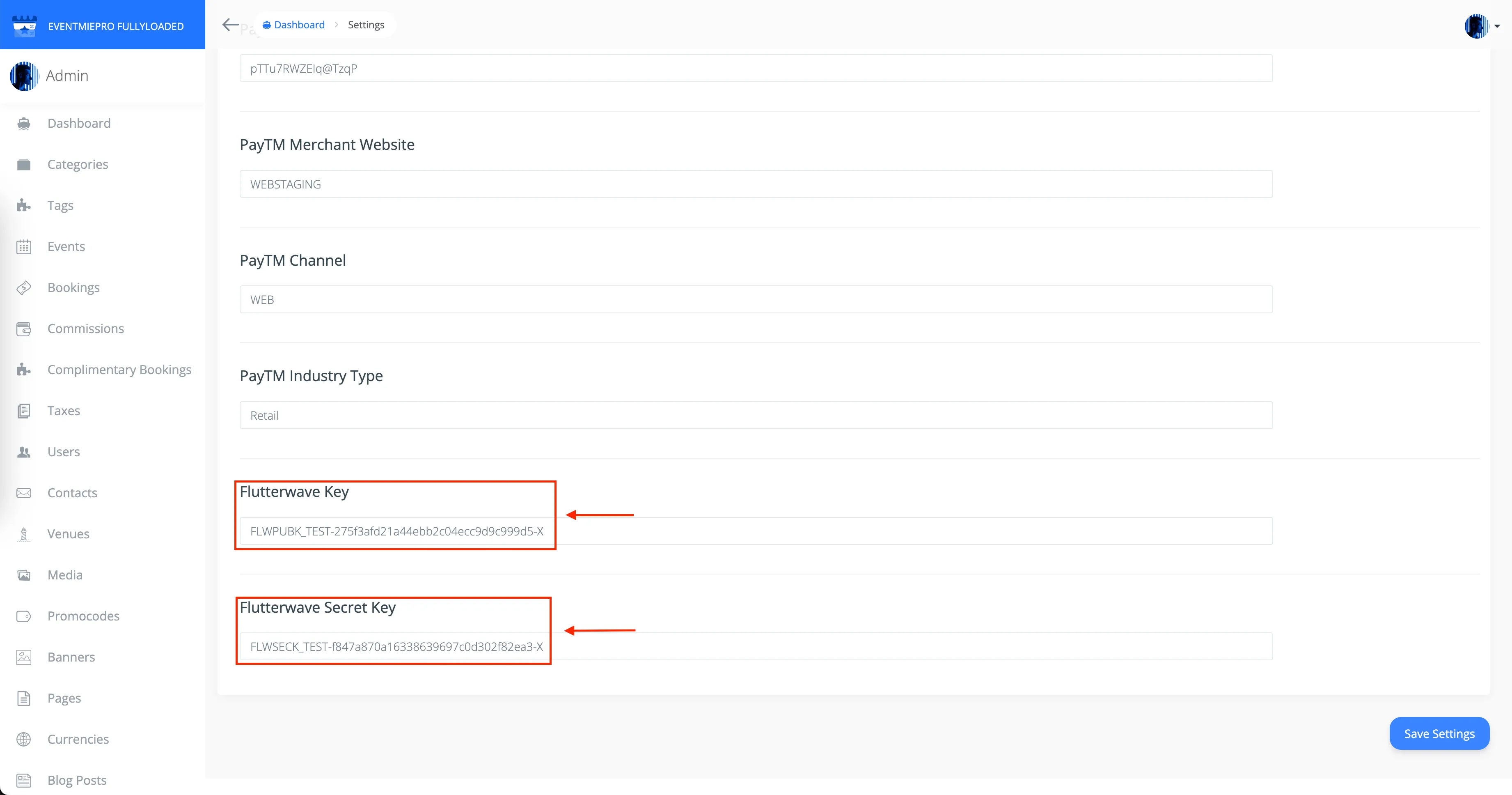
To enable Flutterwave payments, first create a Flutterwave Business Account at Flutterwave. After setting up your account, copy your Flutterwave Public Key and Flutterwave Secret Key.
- Go to Admin Panel -> Settings -> Apps
- Enter your
Flutterwave Public Key,Flutterwave Secret Key, and your business email, then click Save Settings
How organisers can activate Flutterwave (Admin)
Set up Flutterwave in minutes from your admin settings to start accepting payments across supported African markets. This quick setup helps you offer a local, trusted payment option and improve checkout conversion.
- Open Admin Panel → Settings → Apps.
- Paste your
Flutterwave Public KeyandFlutterwave Secret Key. - Add your merchant email.
- Save Settings. Toggle test/live mode in your Flutterwave dashboard as needed.
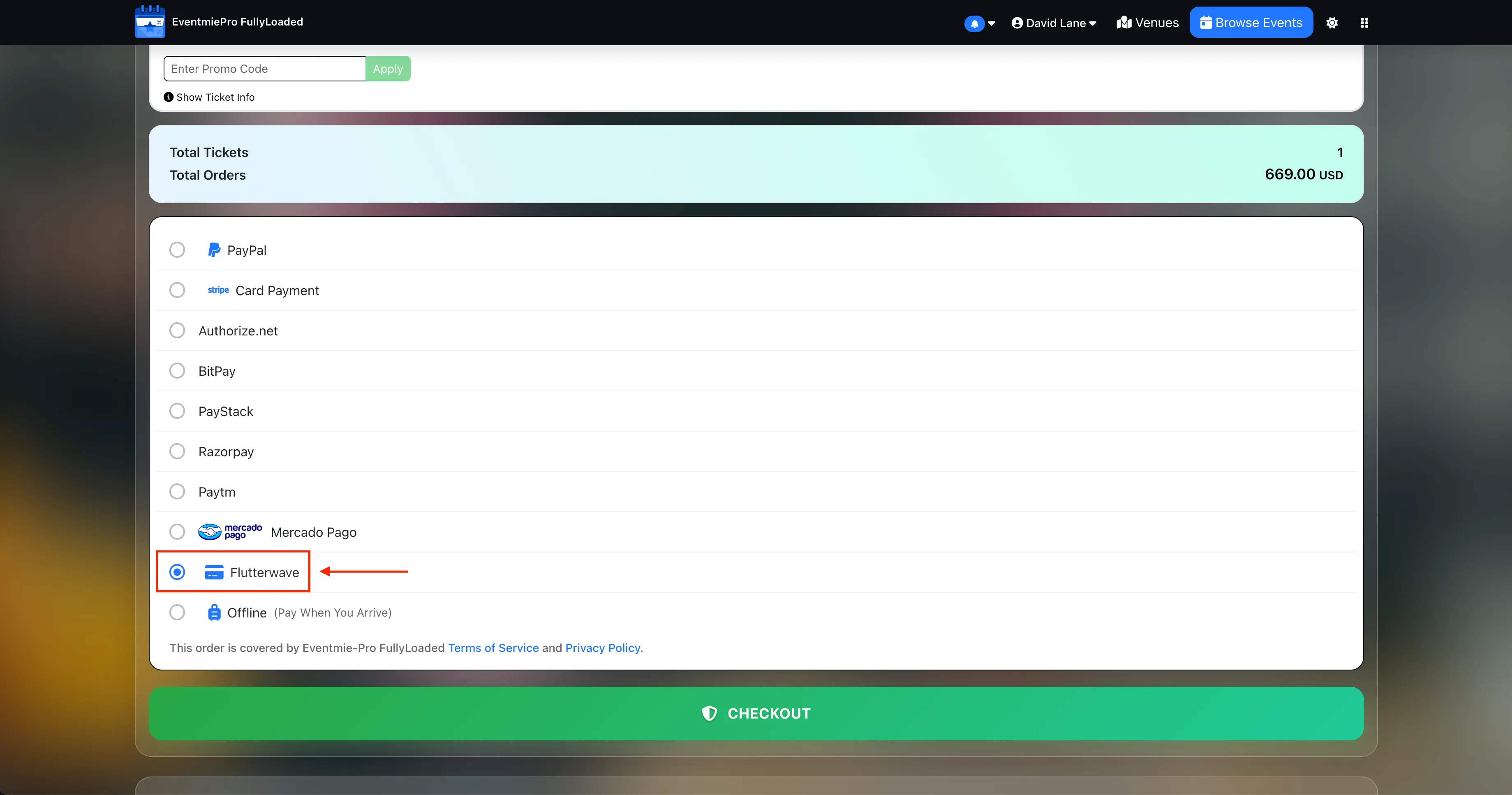
How it looks on your site (Live checkout)
Attendees choose Flutterwave at checkout, complete the payment in a fast, mobile‑friendly flow, and return to your site with instant confirmation. Orders, invoices, and tickets are issued immediately.
{primary} To disable Flutterwave, simply remove the
Flutterwave Public Key,Flutterwave Secret Key, and your merchant email from the settings.