{success} This Feature only available in Eventmie Pro FullyLoaded
Guest Checkout for Seamless Ticket Booking in Eventmie Pro FullyLoaded
{primary} Improved Guest Checkout feature in v2.0
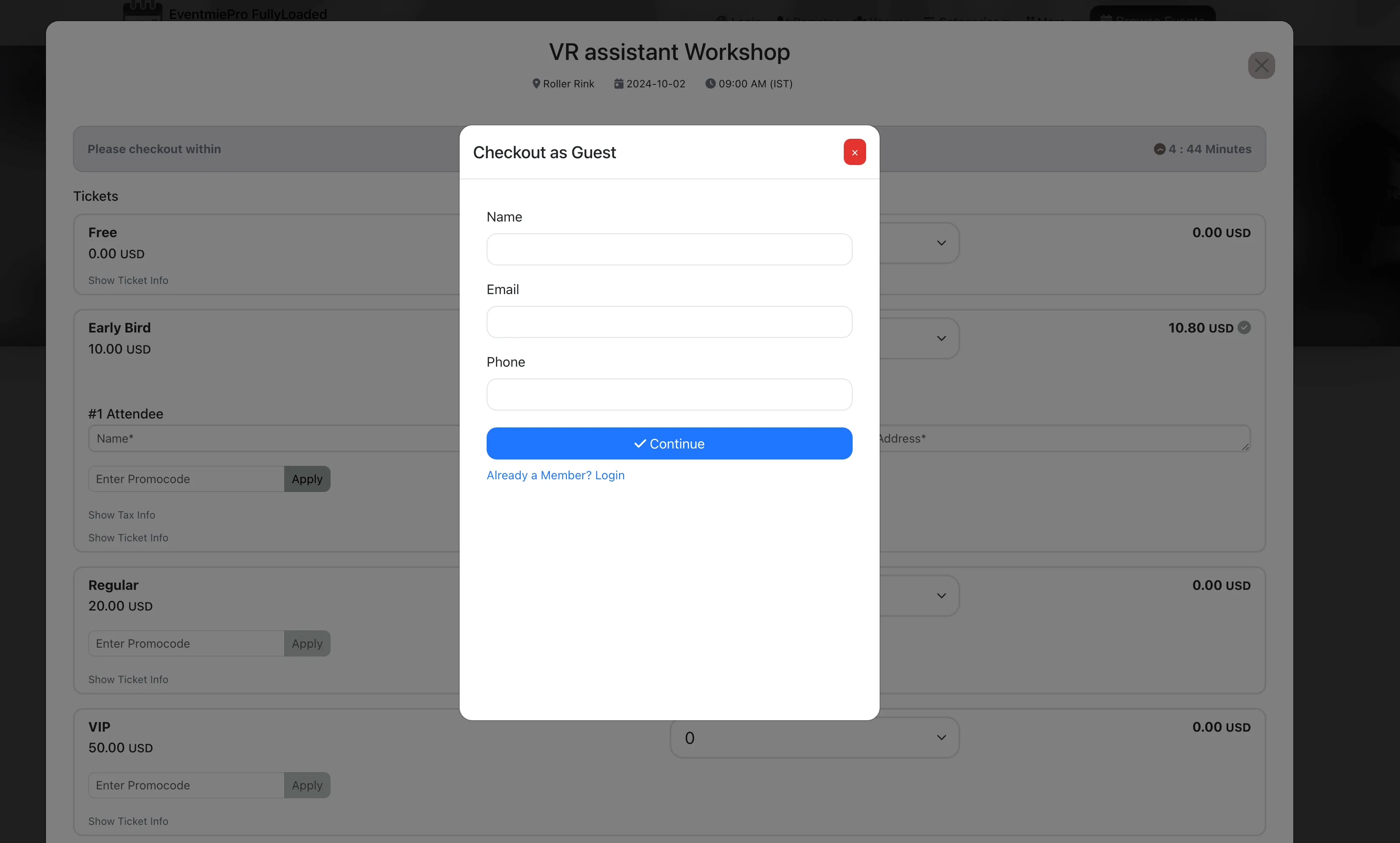
Enable auto-login and instant checkout for unregistered users in your Eventmie Pro FullyLoaded Laravel event management platform. Unregistered users can book tickets directly by registering on the go—just click Guest Checkout, enter name, email, and phone number, and complete the booking in seconds.
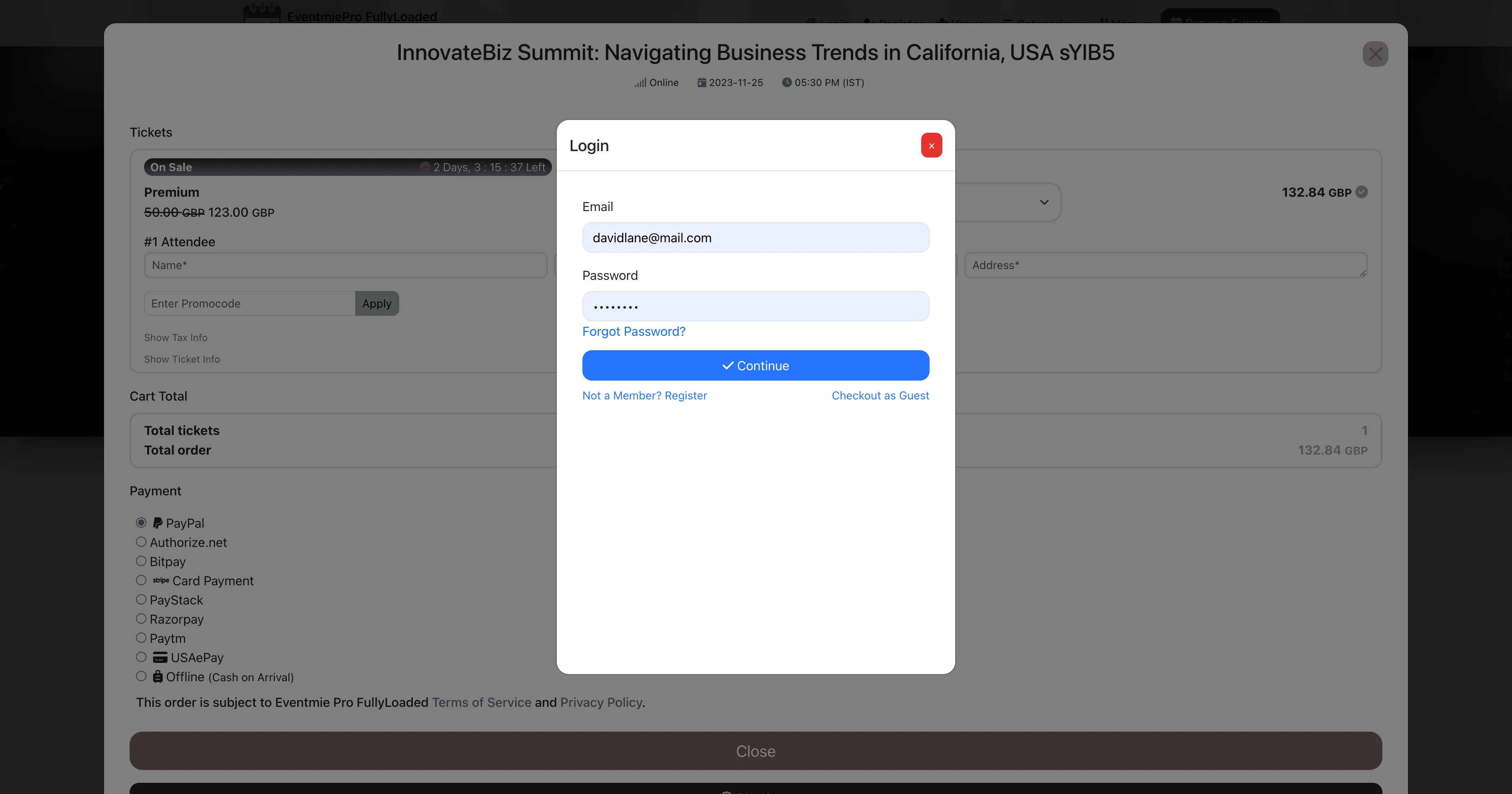
Within the Checkout popup, users can log in, register, or checkout as a guest—all in the same window, with no redirects. This streamlined process improves ticket purchasing for guests and increases event sales.
Guest accounts are created instantly from the Checkout popup. Users receive both a successful signup and booking confirmation email.
Later, guests can log in with the same email by resetting their password using the Forgot Password option.
How it works (Admin setup)
Give buyers a faster path to purchase by enabling Guest Checkout from your admin settings. This simple switch helps reduce drop‑offs and increases completed orders. For added security, you can also require email OTP verification to confirm the guest’s email before issuing tickets.
- Go to Admin Panel → Settings → Multi‑Vendor.
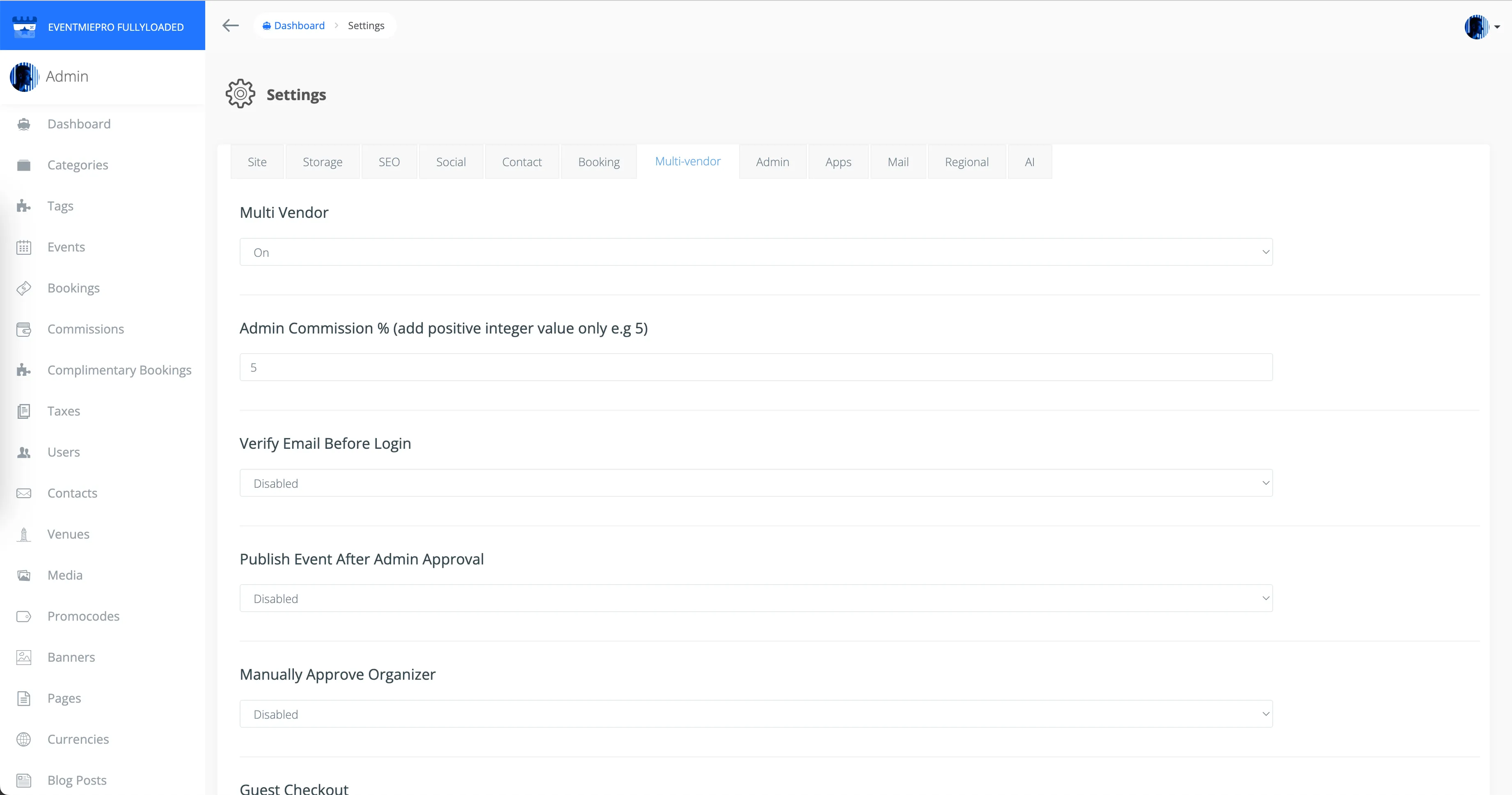
- Turn Guest Checkout On or Off as needed for your marketplace.
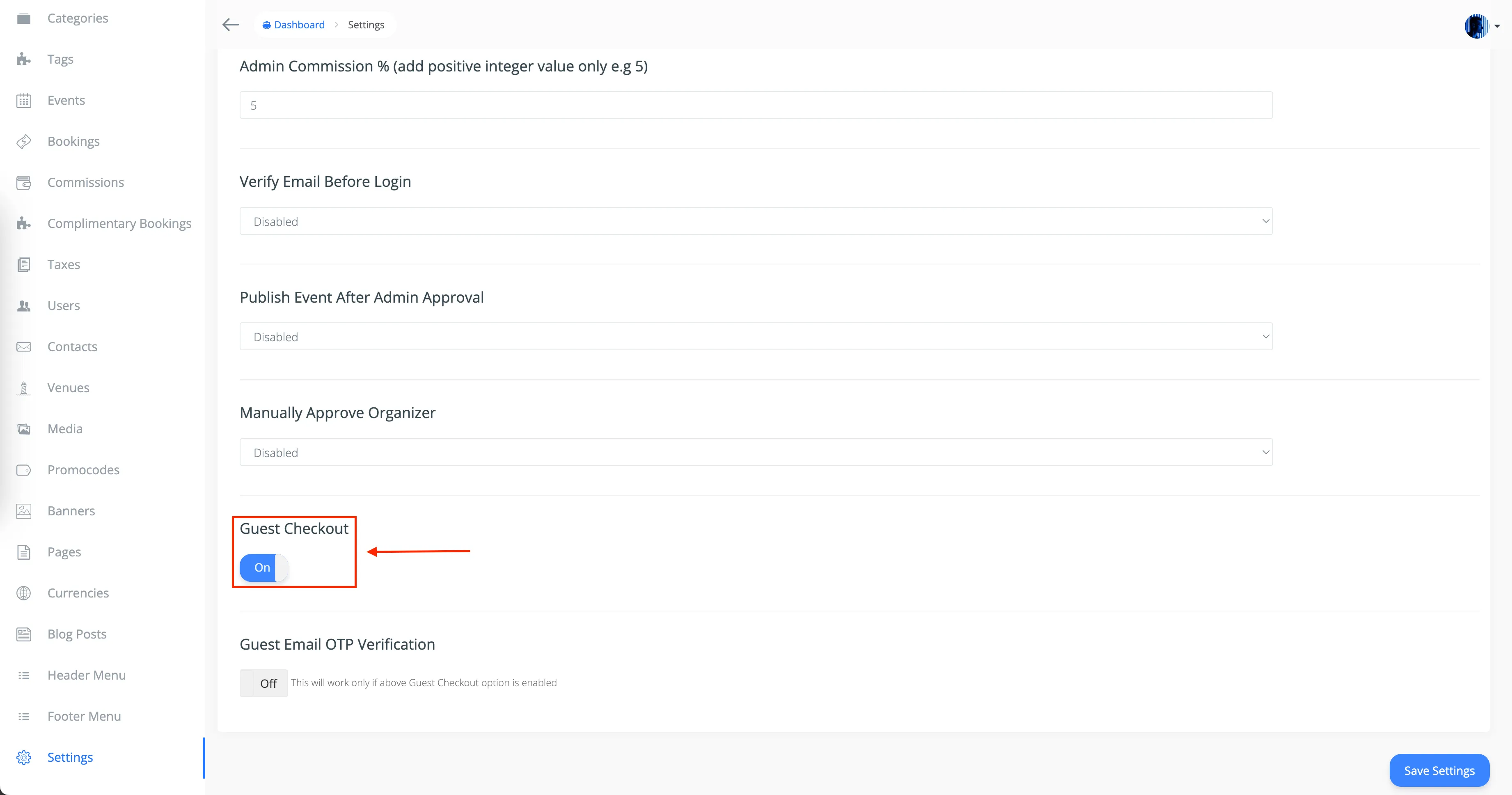
- Toggle Guest Email OTP Verification On or Off beneath Guest Checkout.
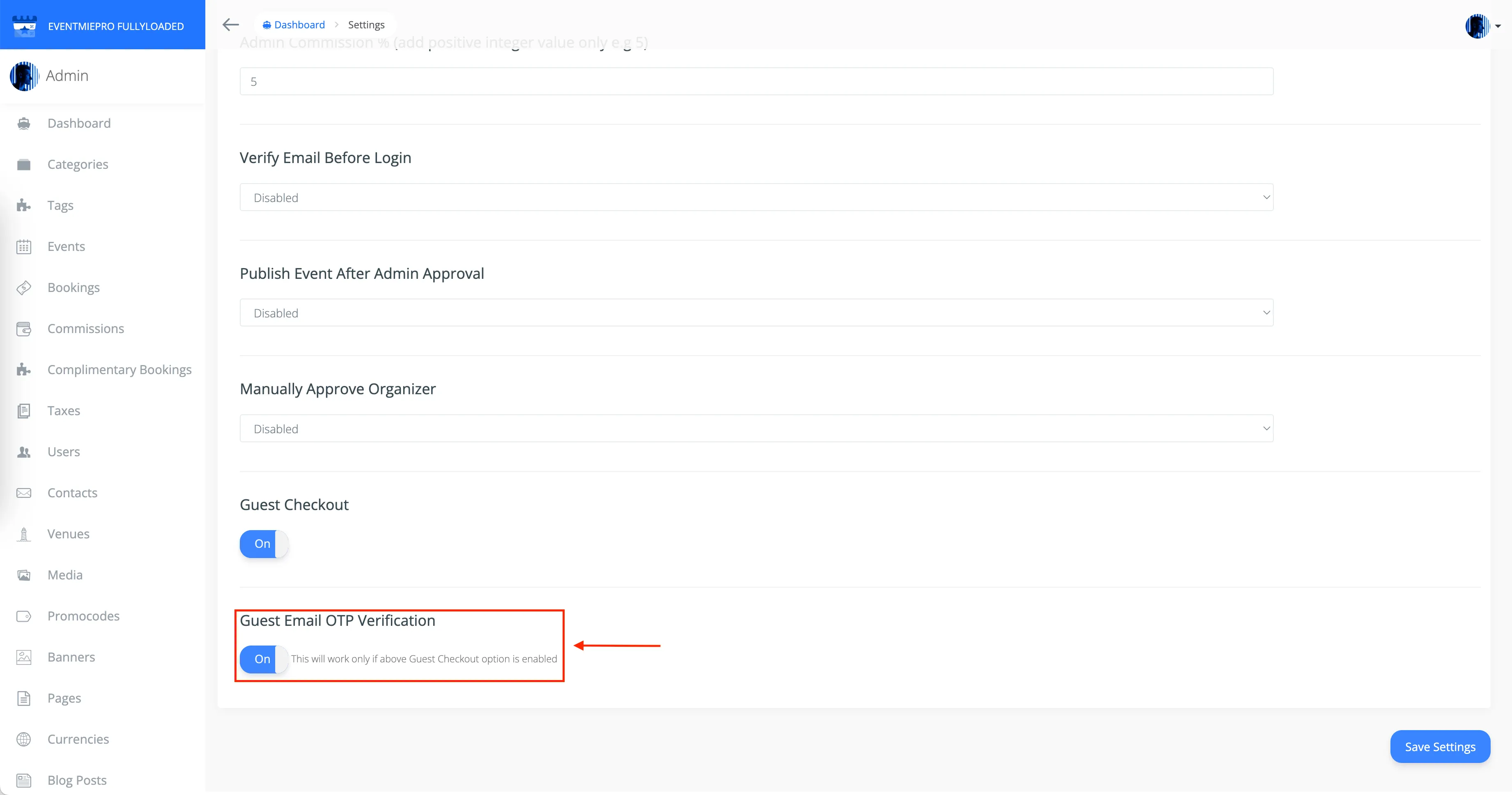
- Save changes. Guests can now complete bookings without creating an account, and — if enabled — verify their email via OTP during checkout.